

Λογισμικό

NEW VERSION - νέα έκδοση IntelliCAD 2026 PRO 3D
NEW VERSION IntelliCAD 2026 PRO 3D
Special Discount - νέα μειωμένη τιμή 135€
Για την δοκιμαστική έκδοση 28 ημερών ακολουθήστε τον σχετικό σύνδεσμο:
Τιμοκατάλογος ArCADiasoft
Νέα έκδοση IntelliCAD 2026 PRO
Μαζί με το 2026 κυκλοφόρησε και η νέα έκδοση του προγράμματος INTERsoft - IntelliCAD 2026 PRO της ArCADiasoft βασισμένη στην τελευταία έκδοση IntelliCAD version 14.0 με επιπλέον δυνατότητες και χαρακτηριστικά. Αποτελεί την ιδανική εναλλακτική και οικονομική πλατφόρμα και λύση σχεδίου CAD και 3D για τους μηχανικούς (αρχιτέκτονες, πολιτικούς, τοπογράφους, μηχανολόγους, κλπ) που έχουν συνηθίσει να σχεδιάζουν στο γνωστό AutoCAD® και από την άλλη όμως δεν θέλουν να πληρώνουν τεράστια ποσά για αγορά λογισμικού ή ετήσιες συνδρομές.
Η νέα αυτή έκδοση INTERsoft - INTELLICAD 2026 της ArCADiasoft έχει επίσης νέα μειωμένη τιμή με επιπλέον εργαλεία και δυνατότητες σχεδίασης 2D και 3D.
Το IntelliCAD, το οποίο είναι ίσως η πιο διαδεδομένη εναλλακτική πλατφόρμα CAD drawing και ένας κλώνος του AutoCAD® (από τους πολλούς που κυκλοφορούν), θα σας λύσει τα χέρια αφού με πολύ μικρό κόστος μπορείτε να σχεδιάζετε και να εργάζεστε σε αρχεία .dwg, όπως ακριβώς κάνατε μέχρι τώρα και έχοντας μία πλήρως λειτουργική, μόνιμη και νόμιμη άδεια χρήσης σχεδιαστικού προγράμματος CAD.
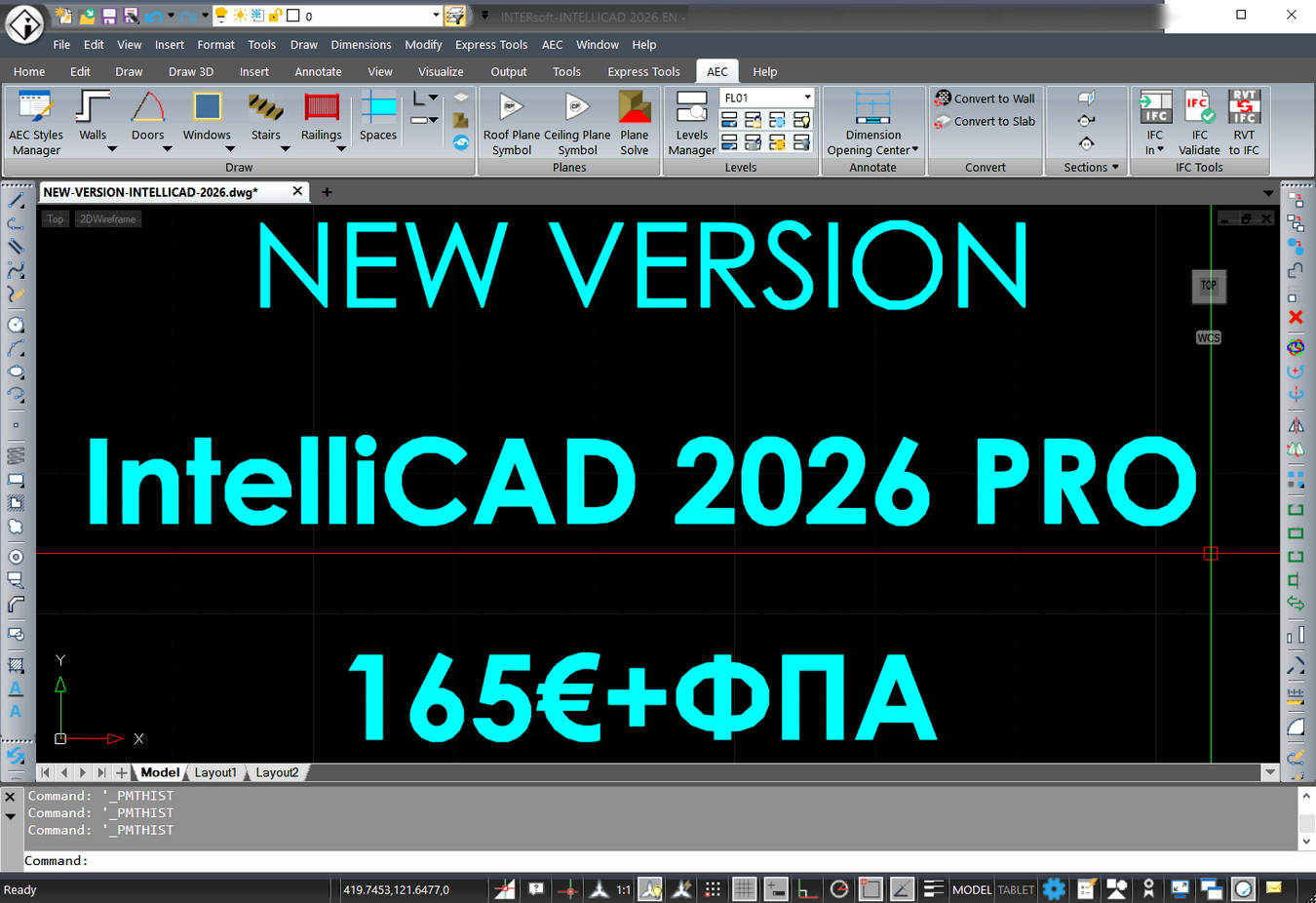
Είναι 100% συμβατή με αρχεία AutoCAD® (διαβάζει και αποθηκεύει αρχεία σε format 2.5 έως 2018 DWG και DXF) και λειτουργεί σε DWG 2018 native format. Επίσης, εκτός των άλλων μπορεί να εισάγει απευθείας αρχεία Autodesk® Revit® 2021.
Για αυτούς που δεν θέλουν ή δεν χρειάζονται ένα πρόγραμμα BIM όπως το ArCADia BIM και αρκούνται μόνο σε σχεδίαση CAD 2D/3D το INTERsoft - IntelliCAD 2026 είναι πάντα η ιδανική λύση και μπορούν να το προμηθευτούν για την ώρα από εμάς στην προνομιακή τιμή των €165,00 από αρχική τιμή €420,00 (χωρίς να συμπεριλαμβάνεται ο Φ.Π.Α.). Η τιμή αυτή είναι τελική και δεν υπόκειται σε άλλη τρέχουσα έκπτωση.
Η προσφορά μας συνεχίζεται και για το IntelliCAD 2026 PRO 3D
3 άδειες IntelliCAD στο κόστος των δύο (2+1 δώρο)
Συγκεκριμένα, 2 άδειες χρήσης και 1 επιπλέον δώρο
σε τελική τιμή 330,00€ (από 495,00€) πλέον ΦΠΑ.
Για τους χρήστες της προηγούμενης έκδοσης INTERsoft - IntelliCAD 2025 η τιμή της αναβάθμισης στη νέα έκδοση INTERsoft - IntelliCAD 2026 είναι μόλις 50,00€ + ΦΠΑ.
Για την δοκιμαστική έκδοση 28 ημερών ακολουθήστε τον σχετικό σύνδεσμο Τιμοκατάλογος ArCADiasoft.
Χρησιμοποιήστε το πρόγραμμα και επωφεληθείτε με την τρέχουσα έκπτωση.
Για τους τρόπους πληρωμής και παραγγελίας διαβάστε εδώ.
Νew features in INTERsoft-INTELLICAD 2026
Performance
• Entity snapping is refactored for improved stability and performance.
• The Copy to Clipboard command is 30x faster in certain scenarios.
• The Break command is 12x faster.
• Overall performance improvements when using the Move, View, Union, and other commands.
• Improved performance for GetCurrentView and SetCurrentView in the .NET API.
• Improved performance when using grips to stretch a large number of overlapping lines.
Working with files
• Import .svg files.
• If saving a drawing to an inaccessible path, for example, with a lost network connection, a copy of the drawing is saved automatically in the user's DocumentsMy ProgramEmergency Saved Drawings folder.
• Working with BIM files:
•• Support for Autodesk® Revit® 2025 RVT and RFA file formats.
•• Change the orientation of a wall as you draw it using the Flip option.
•• Use grips when editing boundaries of spaces.
•• Create architectural spaces using the Spaces command, and infill AEC entities when using the Section Plane command
Text
• Create a QR code from new multiline text or multiline text attached to a new leader line.
• Use new Unicode fonts.
• Turn automatic stacking of multiline text on or off.
Blocks
• Improved workflow when using the Attribute Editor dialog box to edit the value, text settings, and properties of each attribute in a block.
• For advanced blocks, use the CPolygon option when adding a stretch or polar stretch action.
User interface
• Choose between new themes that include: Dark, Light, and Gray. Dark is the default.
• Drag drawing windows outside the program window, allowing you to work with drawings on multiple monitors without running the program again.
• Add text titles to visually organize tools into groups on the Tool Palettes pane.
• Choose transparency settings for the command bar when it is undocked.
• Set options for the status bar from one location by choosing Options > User Preferences, and then click Status Bar Settings.
• Choose how various UI elements work with running entity snaps by choosing Drawing Settings > Coordinate Input > Entity Snaps.
More features
• The Overkill command now works with rays, infinite lines, text, multiline text, and hatches.
• Use the Trim command with table entities.
• Automatically fill table cells with content from existing cells.
• Specify a file name before publishing to a .pdf file instead of prompting for a file name.
• Set the current scale for annotative entities when using the Scale List command.
• Default proxy options can be overridden when opening a drawing that contains custom objects created in an unavailable custom application.
APIs
• LISP: Access the LISP programming environment using Microsoft® Visual Studio Code with the IntelliCAD Lisp Debugger extension. You can also use the VLISP command directly in IntelliCAD.
• LISP functions: dumpallproperties, getpropertyvalue, ispropertyreadonly, and setpropertyvalue.
• .NET: Updated to .NET version 8; use IIcadApplicationPrefernces for retrieving .ctb file paths.
• IcARX: AcadAppInfo, CAdUiPaletteSet, and Properties Palettes API.
System variables
• New system variables: ANNOSCALEPANEMODE, BDEPENDENCYHIGHLIGHT, CMDROLLOVEROPACITY, ISAVECOUNT, MTEXTAUTOSTACK, PROXYNOTICE, QCDECIMALSEPARATOR, STATBARMENUMODE, and TEMPOVERRIDES.
• UITHEME is renamed to COLORTHEME and includes new values.
• Updated system variables: GRIDLINESMAX, GRIDPOINTSMAX, LIMMIN, LIMMAX, OSNAPMAX, and STARTUP.
Δείτε τα υπόλοιπα άρθρα της ενότητας «Λογισμικό» της ιστοσελίδας μας για περισσότερες πληροφορίες καθώς και για να «κατεβάσετε» τις πλήρεις δοκιμαστικές εκδόσεις για ένα μήνα!
Με εκτίμηση,
Νεκτάριος Ντάσιος
Πολιτικός μηχανικός
Επίσημος Συνεργάτης της ArCADiasoft σε Ελλάδα και Κύπρο